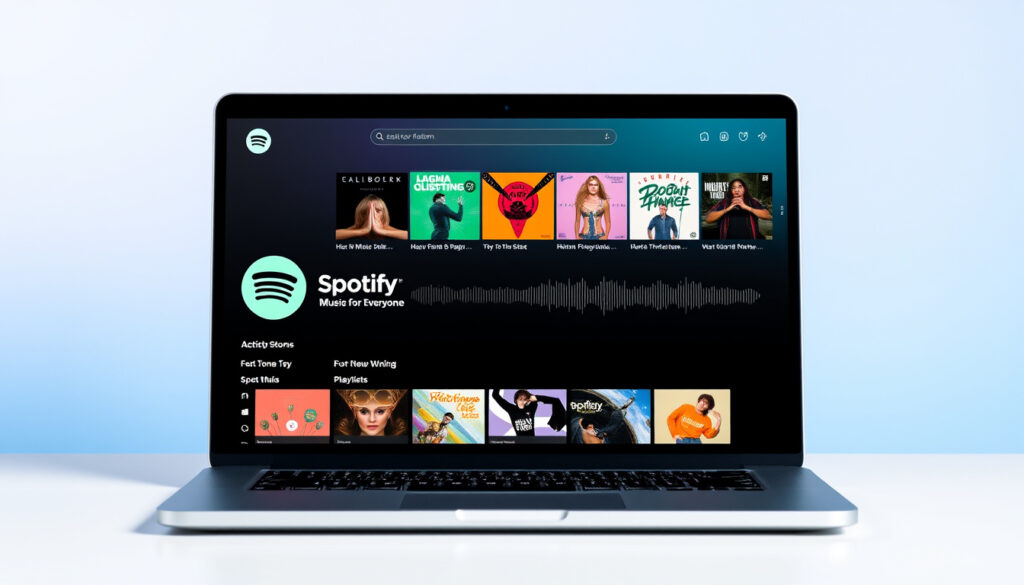
Spotify Web Player: Music for Everyone – Features & Fixes
Whether you’re tuning in from a laptop at a café or digging into your favorite playlist on a work break, the Spotify Web Player makes it happen—no app download required. With over 600 million monthly active users worldwide, Spotify has become the default soundtrack to everyday life for listeners across the globe.
Songs Available: millions · Content Types: music, podcasts, audiobooks · Minimum Streams for Royalties: 1,000 · Platforms: web browser · Personalization: deep personalization, powerful curation
Quick snapshot
- Web Player offers millions of songs via open.spotify.com DIVA Portal research
- Exact royalty per stream varies by region and agreement
- Spotify launched in 2008 in Sweden and five other countries University of Southampton research
- Platform continues expanding AI features like Spotify DJ
Key specifications and platform metrics for the Spotify Web Player are summarized below.
| Field | Value |
|---|---|
| Official Site | open.spotify.com |
| Primary Access | Web browser, no download |
| Content Library | Music, podcasts, audiobooks |
| Royalty Threshold | 1,000 streams |
| Users (Early 2025) | 600 million monthly active |
| European Users | 150 million |
Does the Spotify Web Player have unlimited skips?
Free vs Premium skip limits
The free tier of the Spotify Web Player imposes skip limitations designed to encourage premium conversion. Free users can skip only a limited number of tracks per hour, while Premium subscribers receive unlimited skip functionality across all devices including the web player. Research from DIVA Portal confirms that Spotify uses limited functionality to influence free users toward premium subscriptions, making skip restrictions one of several friction points in the free experience. The platform’s two-tier model provides free access with extensive data processing and targeted advertising, or a paid subscription eliminating those restrictions. Skip limits on the free tier are among the most noticeable constraints for users who want full on-demand control without subscribing.
If you find yourself hitting skip walls on the free Web Player, that’s intentional. Spotify limits skips to push free users toward Premium, where unlimited skips come standard.
Troubleshooting skip issues
When skip functionality behaves unexpectedly on the Web Player, clearing the browser cache often resolves the issue. Browser extensions that interact with audio playback can also interfere with skip controls. The web player requires a stable internet connection for seamless track transitions, and skipping may lag or fail if network conditions are poor.
For users experiencing persistent skip issues, trying a different browser or disabling extensions one by one can isolate the cause. Spotify’s support resources indicate that session data stored in the browser sometimes conflicts with playback commands, and a fresh session clears these conflicts.
How to start a listening party on Spotify Web Player?
Group Session steps
Spotify’s listening party feature, known as Group Session, allows multiple users to listen to the same playlist or album in real time. To start a session, open the Spotify Web Player, navigate to the playlist or album you want to share, and select the Share button. From the sharing options, choose “Start a Group Session” to generate a link that can be sent to other listeners. Participants clicking the link join the shared session and can control playback collaboratively. This functionality works across browsers and devices, making it accessible without installing the desktop or mobile app.
Requirements for hosting
Both the host and participants need a Spotify account to join a Group Session. The feature is available on free and Premium accounts alike, though a stable internet connection on all ends ensures synchronized playback. The host maintains playback control initially, but any participant can add tracks to the shared queue, making Group Sessions a collaborative listening experience.
Spotify Support indicates that the listening party feature leverages the platform’s social infrastructure to connect listeners across distances, which aligns with academic research showing that Spotify users embed music streaming within multiple social and functional environments. Group sessions represent one of several social tools embedded in the Web Player interface.
Is Spotify DJ available for everyone?
Free user access
The Spotify DJ feature, which uses AI to generate a continuous personalized music stream, has rolled out gradually across user segments. Initially introduced as a Premium-exclusive feature, its availability has expanded, though not all users have access to it yet. The platform’s algorithmic personalization strategy, exemplified by features like Discover Weekly, reflects Spotify’s pivot toward recommendation systems assuming users prefer curated experiences over self-directed selection, according to research from eScholarship. The DJ feature represents an extension of this philosophy, using AI to generate track sequences tailored to individual listening histories.
Premium requirements
At present, Premium subscription remains the primary way to access the full DJ functionality without interruptions. Free users experience a more limited set of personalization features, as Spotify’s business model uses free tier limitations to encourage conversion. The company has not confirmed universal DJ access for free accounts, and rollout appears to follow a staged approach based on market and user demographics.
What is the 1000 rule on Spotify?
Royalty payout threshold
Spotify’s royalty system includes a threshold requiring tracks to accumulate at least 1,000 streams before generating payments for rights holders. This 1,000-stream minimum applies per track per month, meaning tracks below this threshold in a given month do not contribute to royalty distributions for that period. The rule serves as an administrative threshold to reduce payment processing costs for micropayments on tracks with minimal traction.
The 1,000-stream threshold means tiny artists or hobbyists with modest followings may never see royalties from individual tracks. Music streaming platforms like Spotify generate 67% of global recorded music revenue, yet the distribution of that revenue heavily favors tracks crossing the playback threshold consistently.
Impact on artists
Research from SAGE Journals demonstrates that Spotify’s playlist-centric structure creates significant barriers for artists from peripheral regions, with US and Anglophone countries accounting for 47% of top-1000 Spotify artists by playlist reach. The 1,000-stream rule intersects with this dynamic: artists without playlist placement struggle to reach the threshold, while those gaining algorithmic or editorial exposure enter a feedback loop of increasing streams. Platformization has reinforced rather than reduced inequalities in the global music industry, according to academic analysis of Spotify’s market segmentation practices.
Spotify’s two-tier subscription model processes over 1 trillion user-generated events daily to support personalization and targeted advertising, according to DIVA Portal research. The platform’s gatekeeper role in the contemporary music ecosystem, as documented by Cambridge University Press, means royalty rules like the 1,000-stream threshold carry outsized consequences for artists seeking to earn a living from streaming.
Why is the Spotify web player skipping songs?
Common fixes
Automatic track skipping in the Web Player often stems from shuffle mode being enabled, which plays songs in randomized order rather than following the queue sequentially. On the free tier, shuffle behavior may differ from Premium settings, creating confusion for users expecting on-demand playback. Clearing the browser cache removes stale session data that can cause playback glitches, and refreshing the page establishes a fresh connection to Spotify’s servers.
Spotify’s free tier deliberately limits on-demand functionality. Automatic skips on free accounts aren’t necessarily bugs—they’re features baked into the freemium model to push upgrades.
Browser compatibility
Some browsers handle Spotify’s web player more reliably than others. Chrome and Edge typically offer the most stable Web Playback SDK performance, while Firefox and Safari may experience occasional playback inconsistencies due to differing audio API implementations. Keeping the browser updated ensures compatibility with Spotify’s latest streaming protocols, and disabling hardware acceleration in browser settings can resolve audio driver conflicts that cause skips.
Spotify processes massive volumes of user events daily to support its personalization engine, and the Web Player interfaces with these systems in real time. Network latency, server response times, and browser performance all factor into playback stability. Users experiencing persistent skipping may benefit from testing different browsers or adjusting network settings rather than assuming a service outage.
Comparison of free and Premium tier capabilities helps clarify the skip functionality differences.
| Specification | Free Tier | Premium Tier |
|---|---|---|
| Skips | Limited per hour | Unlimited |
| Listening Parties | Available | Available |
| Spotify DJ | Limited rollout | Full access |
| Ad-free Playback | No | Yes |
| Offline Listening | No | Yes |
| On-demand Playback | Shuffle only | Full access |
How to make a collaborative playlist on Spotify Web Player
Creating a collaborative playlist on the Web Player starts by opening the playlist you want to convert. Click the three-dot menu or the playlist header, then select “Collaborative Playlist” to enable additions from others. Share the playlist link with collaborators, who can then add, remove, or reorder tracks from their own devices through the Web Player or app. The feature works seamlessly across platforms, allowing real-time collaboration without requiring everyone to use the same device or app version.
Upsides
- Free users can participate in collaborative playlists without upgrading
- Works across all browsers and devices via Web Player
- Ideal for shared events, road trips, or group listening sessions
Downsides
- Free users still cannot play on-demand without shuffle restrictions
- Any collaborator can remove tracks added by others
- No real-time simultaneous playback sync unless using Group Session
Confirmed vs Unconfirmed
- Confirmed: Web Player offers millions of songs, podcasts, and audiobooks via open.spotify.com
- Confirmed: Free tier imposes skip limits and shuffle-only on-demand playback
- Confirmed: Collaborative playlists and Group Sessions function on the Web Player
- Unconfirmed: Exact per-stream royalty rates vary by territory and licensing agreements
- Unconfirmed: Whether Spotify DJ will expand to all free users remains officially unannounced
Spotify has recently pivoted toward recommendation systems, assuming users prefer algorithmic curation rather than self-directed music selection.
— eScholarship, A Critical Study of Spotify and Automated Music
Music streaming services including Spotify have fundamentally reconfigured the production, distribution, and reception paradigms of recorded music.
— Cambridge University Press, The Social Life of an Optimised Song
Spotify’s market dominance—600 million monthly active users globally, dwarfing Apple Music at 110 million and Amazon Music at 82 million—gives it disproportionate power to shape how listeners discover and pay for music. The Web Player serves as the entry point for millions who prefer not to install apps, and its free tier restrictions directly influence whether those users eventually convert to Premium. For listeners, the Web Player offers convenience but with strings attached: limited skips, shuffle restrictions, and data harvesting in exchange for free access. For artists, the platform’s 1,000-stream threshold and playlist-centric structure create high barriers for those outside major label and Anglo-American pipelines. Understanding these dynamics helps listeners make informed choices about their streaming habits and artists recognize the structural forces affecting their visibility.
Related reading: Premier League Table 2024/25
dl.acm.org, journals.sagepub.com, cambridge.org, escholarship.org, hal.science
Spotify Web Player brings music for everyone right to your browser, with practical insights like those in browser music streaming guide enhancing skips, parties, and fixes.
Frequently asked questions
How much money is 1,000,000 listens on Spotify?
Spotify’s per-stream royalty rate varies significantly based on factors including the listener’s country, subscription type, and specific licensing agreements with rights holders. Industry estimates typically range from $0.003 to $0.005 per stream, meaning 1 million streams might generate roughly $3,000 to $5,000 before label and distributor splits. Exact figures fluctuate and are not publicly disclosed by Spotify.
Is 200k monthly listeners good?
Whether 200,000 monthly listeners represents success depends heavily on genre, career stage, and revenue diversification. For an independent artist, 200k listeners can indicate meaningful reach, but converting those listeners to streams, playlist adds, and ticket sales requires active promotion. Artists on Spotify can see listener data in Spotify for Artists, helping them track growth trends over time.
How many Spotify streams to make a living?
Making a living from Spotify streams alone typically requires millions of monthly streams, given per-stream rates and the need to split revenue with labels and distributors. A rough benchmark often cited is 250,000 to 1 million streams monthly for modest full-time musician income, though this varies by cost of living and other revenue sources like touring, merchandise, and sync licensing.
How much is 1 billion listens on Spotify?
One billion streams represents an extraordinarily rare milestone, achieved primarily by globally dominant tracks and artists. At estimated average rates, 1 billion streams could generate approximately $3 to $5 million in royalties before contractual splits. Major hits like those from global superstars accumulate billions of streams, but such numbers remain outliers across the platform’s tens of millions of tracks.
Spotify Premium Web Player: Free Access?
The Spotify Web Player is free to access for anyone with a Spotify account, including free-tier users. However, free access comes with limitations including limited skips, shuffle-only on-demand playback, and advertisements. Premium subscribers enjoy the same Web Player interface but without these restrictions, plus offline listening and higher audio quality options.
Is Spotify DJ AI available for all users?
Spotify DJ AI is not yet available for all users. The feature launched initially as a Premium-exclusive tool and has been rolling out in stages to broader audiences. Free users in some regions have gained access during testing phases, but Spotify has not announced a timeline for universal free-tier availability of the DJ feature.
More related posts
 Jennifer Coolidge Movies and TV Shows – Complete Filmography Guide
 How to Delete Instagram Account Permanently: Official Steps
 James Bond Movies in Order: Complete List of 25 Films
 Where is the Maldives? Location, Map & Key Facts
 Anna Wintour: Biography, Net Worth, Career & Personal Life
 What Is Magnesium Good For – Benefits, Foods, Dosage Guide
 Type in a Phone Number and Find Out Who It Is: Free Lookup Guide
 Fat Face Sale UK: Women’s, Men’s Deals & Size Guide